Automations
Set it up.
Let it run.
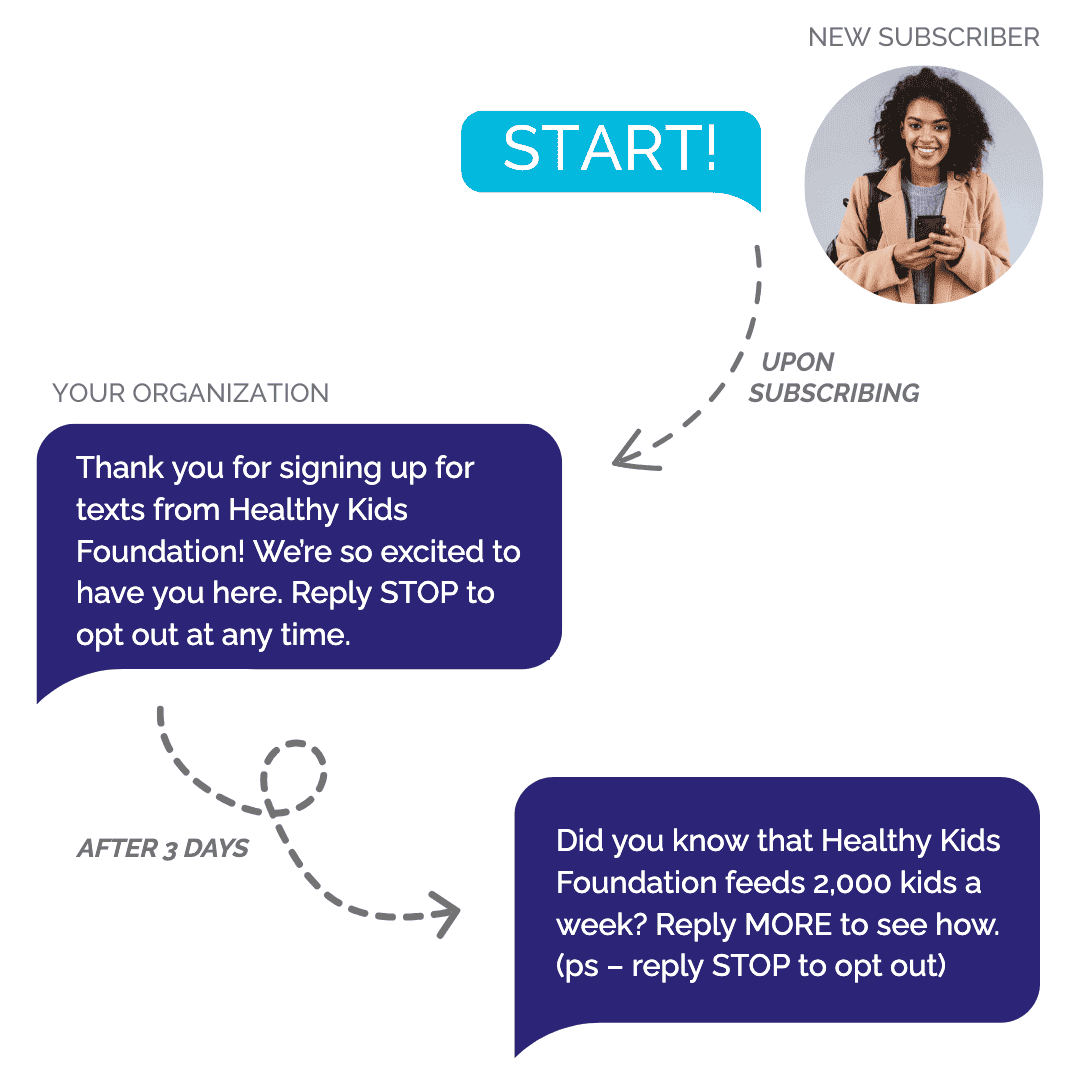
Automations are Hustle’s built-in way to respond to your contacts automatically. The moment something happens, Hustle can text people, tag them, move them along, or end their journey, with no one at the keyboard.
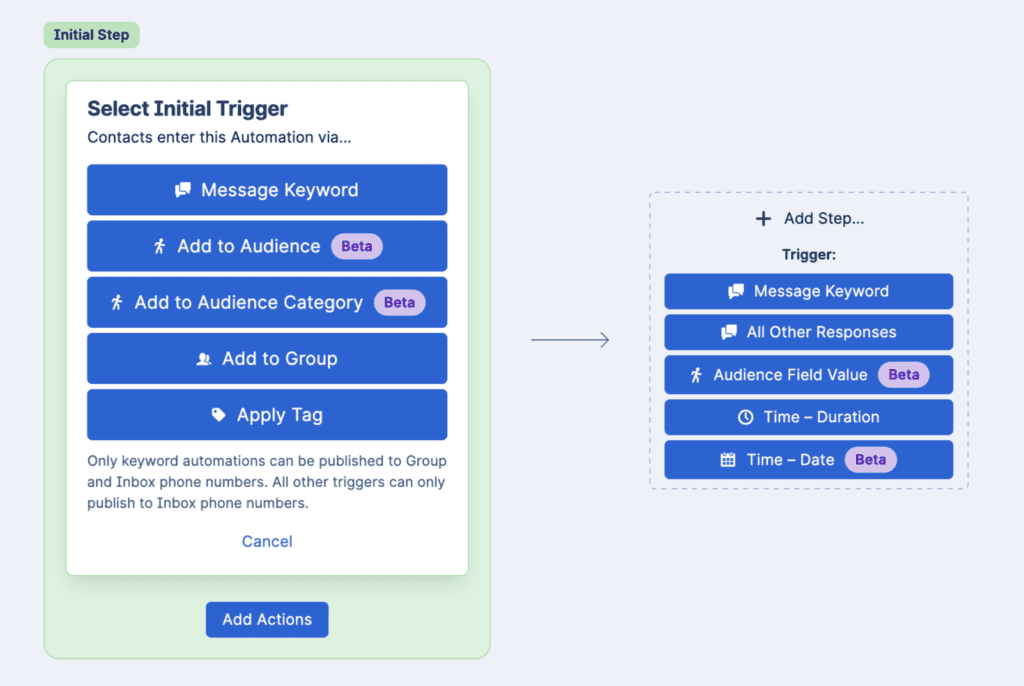
Build a journey, one step at a time
- Start a journey when a keyword is texted in, a tag is applied, or when someone is added to a Group or Audience
- Apply filters so only the right people continue. Use tags or Audience fields like role, event date, or registration status
- Each step can send a message, add or remove tags, move people in or out of Groups, or update opt-out status
- Initiate subsequent steps in your journey right away, after a delay, on a calendar date, or based on an Audience field
- Exit criteria pulls people out the moment a condition is true, like when a contact is no longer active in a Group or a tag like “Already Donated” is applied
Put your Audiences to work
- Kick off a journey the moment someone joins an Audience, several Audiences, or an entire Audience Category, including audiences you add later
- Filter on Audience details, so only contacts whose role is “Team Captain” move past the first step
- Branch or wait on an Audience field further down the journey, for example when a status changes
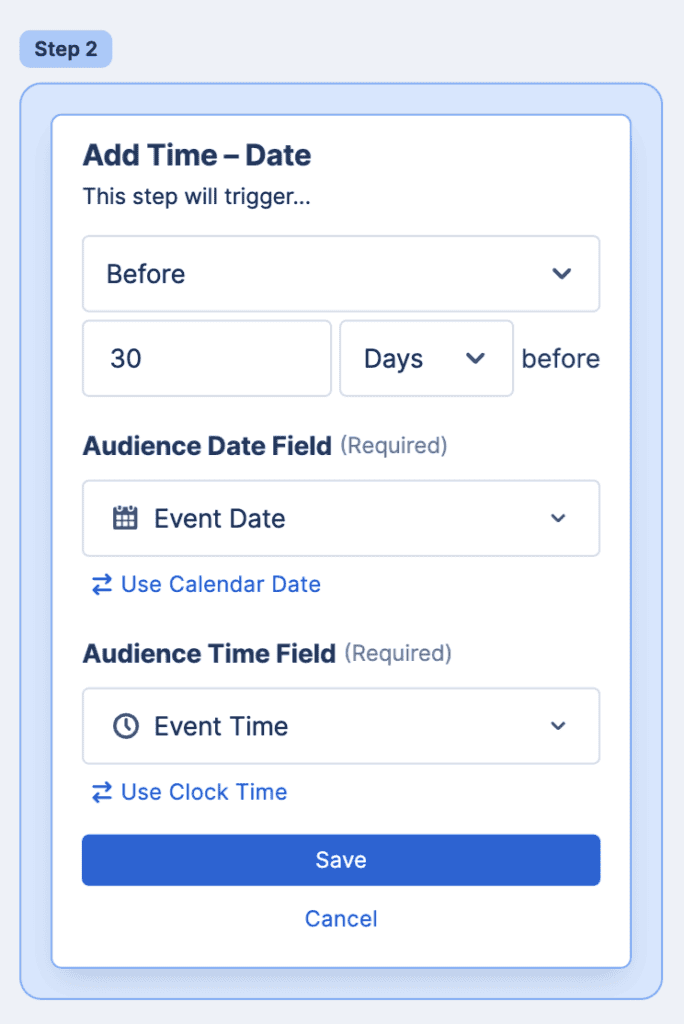
- Schedule a step from a date on someone’s Audience record, like a reminder two days before their own event
- Remove people automatically when they leave an Audience or their details no longer match
Automate text-to-join, event reminders, GOTV, and year-end thank-yous
- Text-to-join: a “VOLUNTEER” keyword applies a tag, adds them to a Group, and sends your welcome script. Learn how to use Keywords and Automations for P2P texting
- Event reminders: welcome everyone who joins your Spring 5K audience with their personal fundraising link, then remind them two days before their event
- Multi-event programs: point one journey at your whole “2026 Walk/Run Events” Audience Category instead of rebuilding it for each walk or run
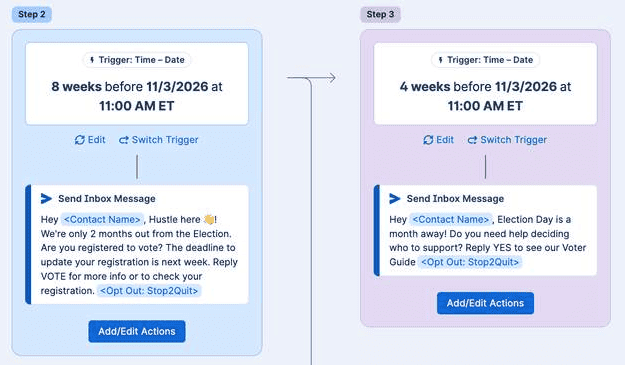
- Get out the vote: reminders at 8 weeks, 4 weeks, and 1 day out, each with the contact’s own polling place, that stop when you record their vote. From Hustle’s 2026 Text Out the Vote Guide
- Year-end fundraising: a personalized thank-you the moment you record a gift, while donors who gave already drop out of every remaining ask. From Hustle’s 2026 End-of-Year Fundraising Guide
Frequently Asked Questions
- A keyword texted in, a tag being applied, a contact being added to a Group, or a contact joining an Audience or Audience Category.
- Yes. List several audiences on its trigger, or point it at an entire Audience Category so it also covers any audience added to that category later.
- No. Joining an Audience or an Audience Category is its own way to start a journey, and it doesn’t need a keyword or Group alongside it.
- The Automation reacts right away. It can branch a later step on the new value, recalculate a wait time tied to that field, or apply exit criteria and remove them, without waiting for the next scheduled check.
- No. Automations are contact-triggered journeys that run continuously in the background. Broadcast and Dialer Goals are separate, campaign-style sends you launch yourself.
- Start a new Automation or duplicate an existing one, choose what starts it, add optional filters, build out the steps and any wait times, set exit criteria, then publish it to the phone numbers you want it to run on. For step-by-step instructions, see How do I use Keywords and Automations? in the Hustle Help Center.
Get Results
Hustle gets it done.
See how organizations of every kind—from big brands and universities to unions and advocacy groups—drive results with Hustle.








Jennifer Saldana
Lead Digital Organizer
SEIU-UHW
“I like that I can easily set up campaigns on Hustle and know who sent what when.”
Read their story

Adrienne Lever
Director of Public Engagement Unit
Mayor’s People Engagement Unit New York City
“Peer-to-peer texting allowed us to efficiently scale outreach while providing personalized support that connected more New Yorkers to services.”
Read their stories

Taylor Beard
Associate Director of Direct Response Fundraising
KQED
“We've used Hustle successfully to start personalized conversations for both fundraising campaigns and general audience engagement.”
Read their story

Lauren Griffith
Director of Engagement and Annual Philanthropy
Jacksonville University, Advancement Office
“People couldn't believe how thoughtful we were to reach out by texting.”
Read their story
Lauren Smith
Senior Associate Director, Marketing & Participation
Tufts Fund for Arts, Sciences & Engineering
“Hustle allows us to provide more of a VIP experience for the alum.”
Read their story
Bryan Wendell
Director of Communications
USA Fencing
“The texting channel gave us a level of directness and urgency that email couldn't match, and it required a fraction of the production time our email builds do.”
Read their story
Jordan Day
Campaign Manager
Xay for Rhode Island
“I love a company that sets realistic expectations, communicates them, and then exceeds them. Keep up the amazing work.”
Read their story